





How to Get a High Score in Block Blast
Learn how to manage open space, compare all available shapes, avoid unusable gaps, and plan consecutive line clears.
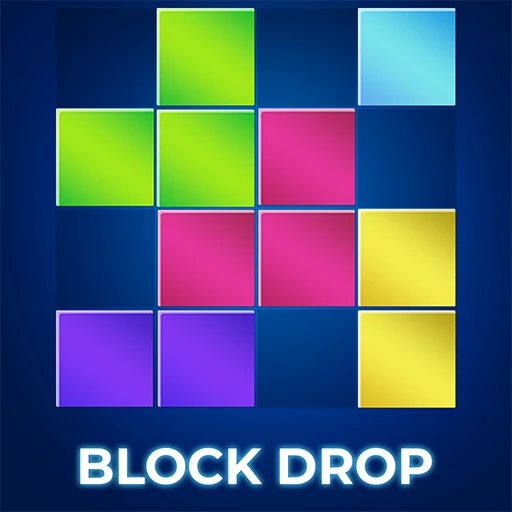
Block Blast is an online block puzzle built around placement, space management, and forward planning. Each turn gives you a group of block shapes to place on the board — there are no falling blocks to control, and pieces cannot be rotated in this browser version.
The goal is simple yet strategic: fill a complete row or column to clear it and make room for the next shapes. Take your time to study every available shape, compare possible placements, and choose the move that keeps the board flexible for as long as possible.
| Action | Control |
|---|---|
| Place a block on desktop | Click and drag the block to the position where you want to place it. |
| Place a block on mobile or tablet | Touch and drag the block onto an open area of the board. |
| Complete a move | Release the block in a valid position. |
| Rotate a block | Blocks cannot be rotated in this browser version. |
You earn points by placing blocks and clearing complete rows or columns. A single move can clear more than one line when the placement completes multiple rows or columns at the same time.
Combos are built by clearing lines in consecutive moves. Instead of focusing only on one large clear, look for placements that leave another clear available on the next turn. Maintaining this sequence can increase your score while also preventing the board from becoming crowded.
A strong move should do more than score immediately. It should also create usable space and preserve several placement options for the remaining blocks.
The safest position for one shape may depend on where the other shapes can fit.
Large blocks become difficult to place when the board is divided into small spaces.
One-cell holes can remain unusable for several turns and limit future placements.
They work well for compact shapes, but filling them without a plan can trap awkward spaces.
One placement that completes both a row and a column can create valuable space.
Consecutive clears help build combos and prevent the board from filling too quickly.
A lower-scoring placement may be better when it keeps more options open for the next group of blocks.
Learn how to manage open space, compare all available shapes, avoid unusable gaps, and plan consecutive line clears.
Understand how rows and columns are cleared, how multiple lines can be completed in one move, and why consecutive clears matter.
Explore how high scores are shared by players, why scores can vary between versions, and how to evaluate record claims without treating an unverified community score as official.
Try these puzzle games next when you want another challenge based on shape placement, grid management, or line clearing.
Yes. You can play Block Blast online for free directly in your browser. No download or account is required.
Yes. The browser version supports touch controls and can be played on modern smartphones and tablets.
No. The game runs directly in your web browser, so you can start playing without installing an app.
Drag and place the available blocks onto the board. Complete a full row or column to clear it and earn points. The game ends when none of the remaining blocks can fit on the board.
No. Blocks cannot be rotated in the browser version available on this page, so you need to plan where each shape will fit before placing it.
Keep enough open space for large blocks, avoid creating small gaps, and look at all available shapes before making a move. Clearing multiple rows or columns and maintaining consecutive clears can help you build combos and score more points.
The game ends when none of the available block shapes can fit into the remaining open spaces on the board.
A combo is built by clearing lines in consecutive moves. Planning one clear after another can increase your score and keep more space available on the board.
No. The browser version requires an internet connection to load and play.
No. Block Blast uses drag-and-place block puzzle mechanics. The blocks do not fall from the top, there is no movement with arrow keys, and the pieces cannot be rotated in this browser version.